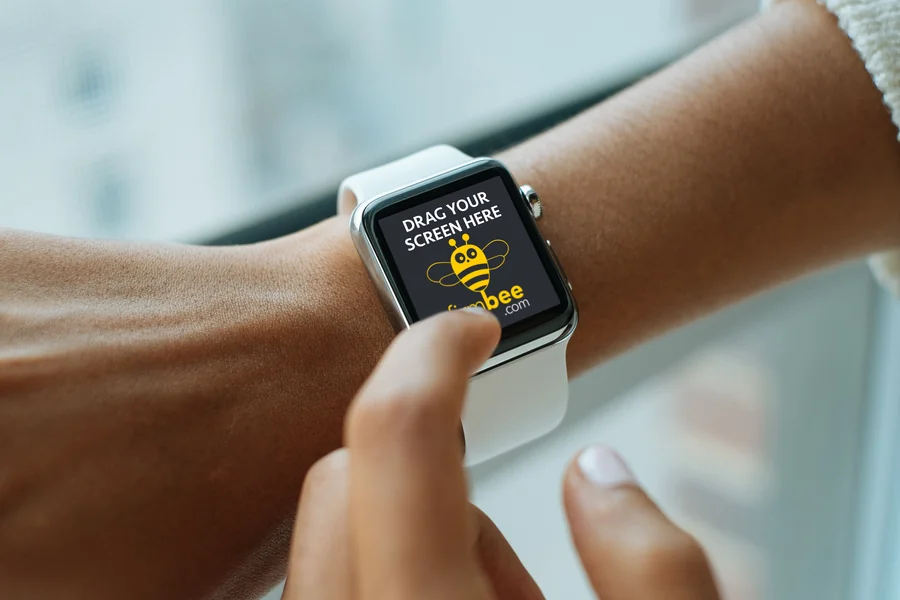
Wearable technology has redefined how users interact with digital interfaces. Among these innovations, the Apple Watch stands as a symbol of elegance, minimalism, and usability. For designers, creating experiences that feel natural on such a compact display demands precision, foresight, and impeccable presentation. That’s where the apple watch mockup becomes an essential design tool. It bridges the gap between conceptual design and real-world visualization, offering a powerful way to refine UI before a single line of code is written.
The Evolution of Wearable UI Design
Designing for wearables isn’t simply about scaling down existing interfaces. It’s about adapting to a new context of use—quick interactions, limited screen space, and gesture-based navigation. As Apple Watch continues to evolve with new sensors, display technologies, and health features, designers must think beyond static layouts. They have to anticipate motion, glanceability, and accessibility.
This is where mockups play an invaluable role. By placing your interface into an authentic wearable context, you can assess how your design performs visually and functionally. The right mockup helps you test colors, contrast, touch targets, and information hierarchy—all in a realistic Apple Watch environment.
Why Apple Watch Mockups Matter for Modern Designers
Professional mockups are no longer just decorative assets; they are strategic design instruments. A well-made apple watch mockup enables designers to:
- Evaluate real-life ergonomics and visual clarity under natural lighting conditions.
- Showcase design concepts to clients and stakeholders with tangible realism.
- Align UI details with Apple’s Human Interface Guidelines more effectively.
- Identify potential usability issues before development begins.
Instead of relying on abstract wireframes or flat screens, designers can immerse themselves in the physicality of their creation. Seeing a smartwatch interface on an actual wrist, with reflections, shadows, and straps, provides insights no 2D preview could replicate.
Real Examples: From Idea to Interactive Experience
Imagine a health-tracking startup developing a heart-rate monitoring app. Before committing to development, the design team places their prototype inside a high-fidelity Apple Watch mockup. They discover that the contrast between the background and heart-rate graph is insufficient in bright light. This simple observation—made possible through realistic rendering—leads to a color palette adjustment that significantly improves usability.
Another example comes from a UX agency presenting a sleep tracker redesign. Instead of showing slides filled with isolated screens, they present their interface inside an elegant watch mockup featuring the latest Apple Watch Ultra model. The client instantly grasps the app’s interaction flow, appreciating how minimal and smooth it looks on the wearable. That presentation wins them the contract.
Exploring Apple Watch Mockups on ls.graphics
For those who want top-tier visual realism, ls.graphics offers some of the most polished and flexible Apple Watch mockups available. Each mockup is designed with an obsessive attention to lighting, material accuracy, and perspective. You can easily swap your screen designs via smart objects in Photoshop or Figma, saving countless hours in presentation prep.
Their mockup collection includes:
- Various watch models and band types—from sport loops to stainless steel.
- Multiple wrist angles and environments, perfect for portfolio shots or app showcases.
- Seamless compatibility with both light and dark UI concepts.
Designers praise ls.graphics mockups for being “drop-in ready.” You simply paste your screen, adjust the shadow or background tone, and your project looks like it was photographed for an Apple ad campaign.
From Concept to Market: The Impact of Great Presentation
High-quality Apple Watch mockups don’t just make your UI look good—they elevate your brand. In today’s competitive design landscape, the ability to communicate polish and professionalism can determine whether your project stands out or gets lost in the scroll. When your presentation captures the authenticity of a real device, viewers subconsciously associate your work with quality and innovation.
Clients, developers, and even investors respond to visuals that feel tangible. A simple mockup can translate complex interface ideas into something instantly understandable. It’s a storytelling device as much as a design tool.
The Future of Wearable UI Visualization
As wearable interfaces continue to expand—covering everything from fitness tracking to communication and AI-driven health insights—the design process must evolve accordingly. Apple Watch mockups are not just tools for display; they’re a testing ground for the next generation of digital experiences.
The future of wearable design belongs to creators who understand both functionality and form. With resources like ls.graphics offering ready-to-use, high-fidelity mockups, designers can focus on what truly matters: crafting interfaces that feel as natural as the watch itself.
Because in the end, great design isn’t just seen—it’s worn.