Workshop recap videos should help participants revisit an exercise and apply it after the session. Select the decisions, examples and follow-up actions that remain useful when the facilitator is no longer in the room.
This promotional guest article introduces Leadde for facilitators who want to convert workshop slides into recap videos. Its public page describes converting presentation material into video; the method below focuses on a learning recap rather than an event highlights montage.
What should workshop recap videos preserve?
Begin with what participants were asked to practise. A recap of a planning workshop might revisit how to define an action, identify its owner and choose a review point.
Keep the explanation and worked example that help a participant repeat the exercise later. Leave out discussions that do not help them complete it.
Use the workshop’s stated objective to decide what stays. A favourite anecdote may have worked well in the room without helping the learner complete the task independently.
| Workshop material | Keep in the recap when it helps explain | Usually link or summarise separately |
| Exercise instructions | What the participant should do | Extended facilitator notes |
| Worked example | How a useful answer is constructed | Unrelated examples |
| Common question | A likely obstacle after the session | Individual discussion history |
| Follow-up task | How to apply the exercise | Administrative reminders |
| Reference material | Where to check detail | Full resource library |
Check each selected slide against the exercise: will the participant need it when working alone?
Rebuild the explanation for an absent facilitator
Slides used in a live session may contain a single phrase that depended on a spoken explanation. A participant watching later cannot ask what the phrase meant.
Read each selected slide and write down the explanation the facilitator supplied in the room. The recap needs to explain the starting point, show a completed response and address answers a participant may be unsure about.
For a hypothetical action-planning exercise, the original slide might say “Owner and review.” The recap could explain: “Name the person responsible for the next action, then choose the point when the group will check what happened.”
Label this example as hypothetical. Attribute participant statements accurately, and use only real team outcomes as evidence of the workshop’s results.
Leadde’s guide to turning PowerPoint slides into AI lecture videos provides additional context for adapting slides into an explanation that can stand alone.

Choose the production route that fits the source
If the slides and narration are already complete, a direct export may be sufficient. Microsoft’s PowerPoint video guidance describes options for creating a video from a presentation.
Check which export options your team’s software edition supports; desktop and browser versions may differ.
A new scene-based edit may suit a deck that needs shorter explanations, reordered material or a presenter segment. Prepare the script first so the production step has a clear teaching sequence.
In Leadde, evaluate the current presentation import and editing workflow with an approved portion of the deck. Review the scene order and narration against the intended exercise before producing the full recap.
Remove information that belongs to the live room
Workshop material can contain participant names, private questions, internal examples or photographs that were appropriate only within the session. Review those details before preparing a shareable recap.
Use a clean example when the real one is unnecessary. Preserve the structure of the exercise while replacing identifying details with clearly fictional material.
A photograph of a workshop wall may contain more information than it appears to at first glance. Inspect it closely, or recreate the relevant teaching diagram without copying participants’ private contributions.
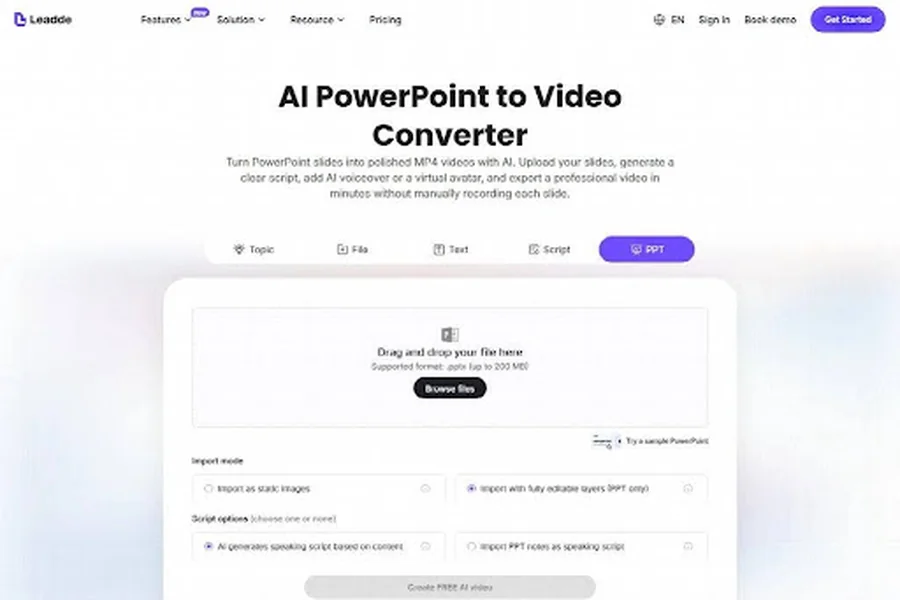
Prepare a shareable example alongside the blank worksheet. In the hypothetical planning exercise, a vague entry such as “Follow up on the discussion” could become “The team coordinator sends the draft agenda to the group; the group reviews it at the next planning meeting.” Explain which words identify the action, owner and review point. Participants can then use the same questions to examine their own entries.
Keep the recap’s audience explicit. A version intended only for attendees may assume more background knowledge than a public explanation for people who were not present.
Give participants something to do after watching
End the recap with a small application task. The task should use the same method as the workshop while fitting the participant’s current work.
For the hypothetical planning exercise, the learner could select one pending action and write its owner, next step and review point. The recap can show a blank template and explain how to use it.
CDC’s quality training standards include learner assessment and follow-up. Connect the recap to an application task so you can examine what the participant can do after watching.
Ask for evidence that matches the task. A completed planning note or a short explanation may be more informative than a general satisfaction question.
| Follow-up need | Possible support |
| Remember the sequence | Compact visual summary |
| Apply the method | Blank worksheet |
| Check an uncertain answer | Worked example |
| Ask for help | Current facilitator or team route |
| Review progress | Agreed follow-up prompt |

Review the recap as a participant would use it
Ask someone to follow the exercise using only the recap and its linked materials. Where they hesitate, determine whether the explanation, example or destination needs revision.
Open the exported file and resource links with the access participants will have. Fix any folder permissions that would prevent them from reaching the worksheet.
Keep the source deck, script, example and final export together. If the method changes, identify which part of the recap is affected before distributing a revised version.
Is a recording of the whole workshop enough?
It may be useful as a record, but participants still need a way to find and apply the exercise. A focused recap can serve that purpose.
Should participant comments appear in the video?
Use them only with appropriate approval and accurate attribution. A fictional example is often enough to explain the method without exposing private discussion.
How should the recap end?
Give one specific application task and explain where the participant can ask for help. They should leave the recap knowing what to try next.
Before sharing the recap, follow the exercise with the facilitator’s notes closed. Check whether the video explains each decision and whether the worked example and linked resource are enough to attempt it alone.