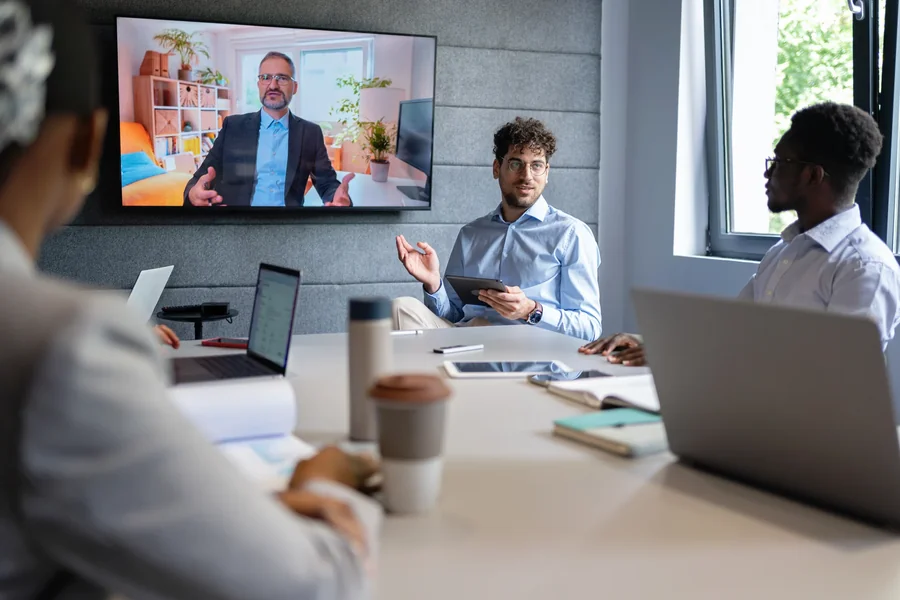
A successful business event needs more than a good venue and an interesting presentation. It needs clear communication, reliable technology, and an environment that keeps attendees engaged. Professional dallas av companies help businesses bring these elements together through audio, video, lighting, and event production services. The right audiovisual setup makes presentations easier to follow, improves audience participation, and creates a polished experience from beginning to end. Whether a company is hosting a corporate conference, product launch, training session, or annual meeting, professional AV technology can make a measurable difference.
Why Audiovisual Technology Matters at Business Events
People attend business events to learn, connect, and exchange ideas. Poor audiovisual quality can make those activities difficult. A presenter might have valuable information, but a microphone that keeps cutting out can distract the entire room. A presentation with unreadable slides can leave attendees struggling to follow important details.
Audiovisual technology directly affects how people experience an event.
Good sound allows attendees to hear every speaker without straining. Professional displays make presentations easier to understand. Well-planned lighting helps people see the stage, presenters, and visual materials.
These details may seem small during the planning process. However, they influence the overall quality of an event.
Businesses should consider their AV requirements early. Waiting until the final days can create unnecessary complications. Early planning gives event organizers enough time to evaluate the venue, select equipment, and test every technical component.
1. Professional Audio Keeps Everyone Engaged
Sound quality is one of the most important parts of any corporate event. Attendees need to hear speakers clearly, regardless of where they sit.
A small meeting room might only require a wireless microphone and a few speakers. A large conference hall needs a more advanced sound system. The equipment must deliver consistent audio throughout the space.
Professional audio setups can include:
- Wireless microphones: These allow presenters to move around without being restricted by cables.
- Lapel microphones: These are useful for speakers who need both hands free during demonstrations.
- Handheld microphones: These work well for presentations, interviews, and audience questions.
- Loudspeakers: Properly positioned speakers distribute sound evenly across the room.
- Audio mixing consoles: These help technicians control microphone levels, background music, and other sound sources.
Room acoustics also deserve attention. Large spaces with hard floors, glass walls, and high ceilings can produce echoes. Those echoes make speech harder to understand.
A professional AV technician can assess the room and recommend appropriate speaker placement. They can also adjust audio levels to prevent feedback and distortion.
Clear audio helps attendees focus on the message instead of the equipment.
2. High-Quality Displays Improve Presentations
Visual content plays a major role in business communication. Presenters use slides, videos, product demonstrations, charts, and graphics to explain complex information.
A screen that is too small can create problems. Attendees sitting near the back might struggle to read text or see important details.
The display should match the size and layout of the venue.
Common options include:
LED video walls
LED video walls create large, bright displays that work well in conference halls, exhibitions, and product launches. They can show presentations, branded graphics, promotional videos, and live camera feeds.
Projectors and projection screens
Projectors remain useful for traditional presentations and meetings. They can display slides, spreadsheets, videos, and other materials on large surfaces.
Large-format monitors
Professional monitors work well in smaller meeting rooms, breakout spaces, and training environments. They provide sharp images without requiring a large projection setup.
Screen placement matters just as much as screen size. Organizers should consider viewing angles, room dimensions, ambient lighting, and the distance between attendees and displays.
A professional AV team can help determine the right equipment for each room.
3. Lighting Creates a More Professional Atmosphere
Lighting affects how an event looks and feels. It also influences the quality of video recordings and live streams.
A conference room with flat overhead lighting may feel uninspiring. A product launch with carefully positioned lighting can create a more memorable experience.
Professional event lighting can serve several purposes.
Stage lighting draws attention to presenters and panelists. It helps the audience focus on the people speaking.
Ambient lighting establishes the atmosphere throughout the venue. Organizers can use different lighting levels to create a formal, energetic, or relaxed environment.
Accent lighting highlights specific areas, including branded backdrops, product displays, and architectural features.
Video lighting improves the appearance of presenters during recordings and live broadcasts.
Lighting should support the event’s purpose. A corporate training session needs comfortable visibility. A high-energy product launch may benefit from dynamic lighting effects.
Organizers should also think about transitions. Lighting can change between presentations, entertainment segments, and networking periods. These adjustments make the event feel more organized and intentional.
4. Hybrid Events Need Reliable Technology
Hybrid events allow people to participate in person or remotely. This format gives companies access to larger audiences without requiring everyone to travel.
However, hybrid events involve more technical considerations than traditional in-person meetings.
Remote attendees need to see and hear everything clearly. They should also have opportunities to participate in discussions, ask questions, and follow presentations.
A reliable hybrid event setup may include:
- Multiple cameras for different viewing angles.
- Professional microphones for presenters and audience members.
- Video switching equipment.
- Streaming software and platforms.
- Dedicated internet connectivity.
- Presentation sharing capabilities.
- Monitors for presenters and production staff.
Camera placement is particularly important. A single stationary camera might capture the entire stage, but it may not provide an engaging viewing experience.
Multiple cameras allow production teams to switch between wide shots, close-ups, and audience interactions.
Audio quality requires special attention during hybrid events. Remote participants cannot follow a conversation if microphones fail to capture questions from the audience.
A dedicated technician should monitor the stream throughout the event. The team should also test the internet connection, camera feeds, audio levels, and presentation playback before attendees arrive.
5. Live Event Production Requires Coordination
Professional equipment alone does not guarantee a successful event. Every component needs to work together.
Live event production involves planning, preparation, technical execution, and communication between different teams.
A production schedule helps everyone understand their responsibilities. It identifies when speakers enter the stage, when presentations begin, and when video content should play.
For example, a corporate conference might follow this sequence:
- Doors open and background music begins.
- Welcome graphics appear on the main screen.
- The host walks onto the stage.
- Stage lighting adjusts for the opening presentation.
- The first speaker’s microphone is activated.
- Presentation slides appear on the main display.
- Video content plays at the scheduled time.
- The production team transitions to the next speaker.
Each transition requires attention. A delayed video or microphone problem can interrupt the event and affect the audience’s experience.
Professional production teams use show schedules, communication systems, and technical checklists to keep everything on track.
Preparation reduces the risk of unexpected problems during live presentations.
6. Technical Rehearsals Prevent Last-Minute Problems
A technical rehearsal gives organizers and production teams an opportunity to test the complete setup before the event begins.
This step is especially important for conferences with multiple speakers, video presentations, and live demonstrations.
During a rehearsal, technicians should check:
- Every microphone and audio channel.
- Speaker placement and sound levels.
- Presentation computers and connection cables.
- Screen resolution and display quality.
- Lighting positions and programmed cues.
- Video playback and audio synchronization.
- Camera angles and recording quality.
- Internet connectivity and streaming performance.
Speakers should also practice using the equipment. They need to know where to stand, how to use their microphones, and how to advance their presentations.
A rehearsal can reveal problems that would otherwise appear during the event.
For example, a presenter’s laptop might not connect to the main display. A video file might have an unsupported format. A microphone might produce feedback when the speaker walks near a particular speaker.
Finding these issues early gives the production team time to fix them.
7. Corporate Branding Should Be Part of the AV Plan
Business events offer opportunities to reinforce brand identity. Audiovisual elements can help companies create a consistent visual experience throughout the venue.
Branding should extend beyond a company logo on the main screen.
Organizers can incorporate brand elements into:
- Opening and closing presentations.
- LED video wall graphics.
- Stage backdrops.
- Welcome screens.
- Breakout room displays.
- Video transitions.
- Digital signage.
- Promotional videos.
Consistent colors, typography, and graphic styles make an event look more cohesive.
The design should also remain readable. Small text and overly complicated graphics can reduce the effectiveness of a presentation.
For example, a company launching a new product might display the product name on the main screen, use branded lighting on the stage, and show short demonstration videos between presentations.
These elements reinforce the message without overwhelming attendees.
8. Choosing the Right AV Equipment for the Venue
Every venue has different technical requirements. A setup that works perfectly in a small hotel conference room might not be suitable for a large convention center.
Organizers should evaluate the space before selecting equipment.
Important considerations include:
Room dimensions: Larger spaces often need more speakers, larger displays, and additional lighting equipment.
Ceiling height: High ceilings can affect sound distribution and equipment placement.
Natural light: Bright windows can reduce projector visibility. LED displays may be a better option in rooms with significant ambient light.
Electrical access: AV equipment requires reliable power sources. Organizers should identify available outlets and distribution requirements.
Stage configuration: The position of the stage affects camera placement, lighting angles, and audience visibility.
Internet access: Hybrid events and live streams require dependable connectivity.
Venue restrictions also matter. Some locations have specific rules about rigging, cable management, equipment access, and installation times.
A site inspection helps identify these requirements before event day.
9. Budgeting for Audiovisual Production
AV costs depend on the size and complexity of the event. A basic meeting requires fewer resources than a multi-day conference with several stages and live streaming.
Organizers should create an equipment and production budget early.
Common cost categories include:
- Audio equipment rental.
- Video displays and projectors.
- Lighting equipment.
- Cameras and video production.
- Streaming services.
- Technical staff.
- Equipment transportation.
- Installation and dismantling.
- Rehearsal and preparation time.
The lowest equipment quote is not always the best option. Businesses should consider the quality of the equipment, the experience of the technicians, and the level of support included.
A detailed proposal should explain what the production package covers. It should also identify additional charges, labor requirements, and equipment limitations.
A clear budget helps prevent unexpected expenses and makes it easier to prioritize essential technology.
10. Why Experienced AV Professionals Make a Difference
Managing audiovisual production requires technical knowledge and practical experience. Event organizers already have many responsibilities. Handling complex equipment at the same time can create unnecessary stress.
Experienced AV professionals understand how different systems interact. They can identify potential issues, recommend appropriate solutions, and manage technical operations during the event.
Their responsibilities may include:
- Evaluating the venue.
- Developing an equipment plan.
- Coordinating installation.
- Testing audio and video systems.
- Managing lighting cues.
- Operating cameras and switching equipment.
- Supporting presenters.
- Monitoring live broadcasts.
- Troubleshooting technical problems.
Professional support is particularly valuable when an event includes several technical components.
A corporate conference might require microphones, multiple displays, stage lighting, presentation computers, and live streaming. Each component needs to function correctly.
An experienced team can coordinate these elements and provide support throughout the production process.
Planning an Event That Leaves a Strong Impression
A successful corporate event depends on preparation and attention to detail. Speakers need reliable microphones. Attendees need clear sightlines. Presentations need readable displays. Lighting should complement the venue and support the event’s objectives.
These technical details influence how people experience a business gathering.
Professional audiovisual production helps companies communicate more effectively, maintain audience attention, and present their brand with confidence.
The planning process should begin with a clear understanding of the event. Organizers need to identify the audience size, venue layout, presentation format, and technical requirements. They should also establish a realistic budget and schedule a technical rehearsal.
The right AV setup does not need to be complicated. It needs to serve a specific purpose and work reliably.
From small executive meetings to large corporate conferences, thoughtful audiovisual planning creates a smoother experience for speakers, attendees, and production teams. Businesses that invest in professional AV support can deliver organized, engaging events that communicate their message clearly and leave attendees with a positive impression.