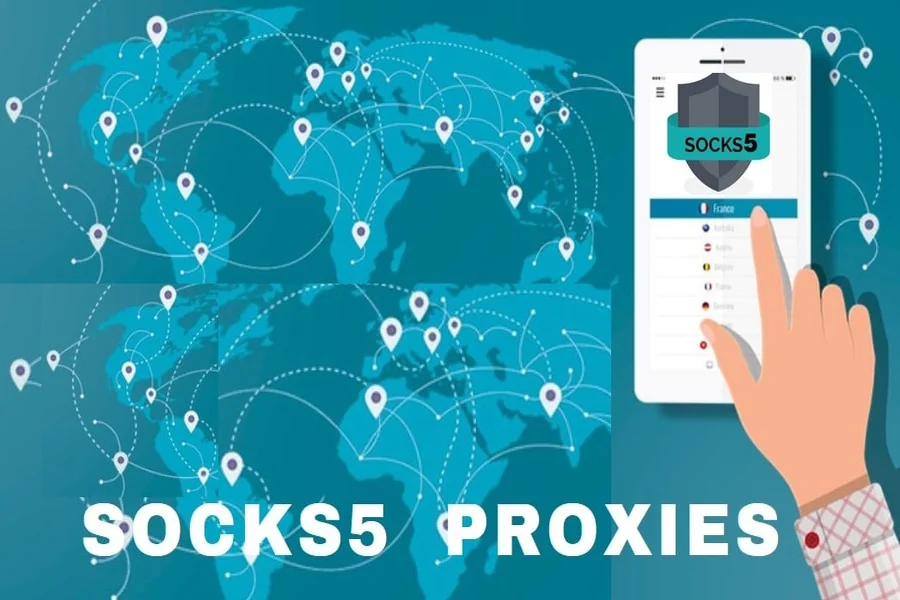
Man, isn’t it just the worst when you’re vibing online, about to binge something or scroll some random site, and boom — blocked because of where you live? Or the page just sits there, spinning like it’s mocking you. Total buzzkill.
That’s when SOCKS5 residential proxies swoop in. They let you sneak past all those lame restrictions, keep your browsing on the down-low, and honestly, make everything load faster. And hey, you don’t need to be some IT genius or a hacker in a hoodie — it’s way less complicated than it sounds.
SOCKS5 Proxy? What Is It?
Imagine you want to send a secret note, but you don’t want anyone tracing it back to you. So you rope in your pal to deliver it for you — easy, right? That’s exactly the trick a SOCKS5 proxy pulls. Instead of your computer shouting, “Hey, it’s me!” every time you visit a website, the proxy steps up and keeps your identity in its pocket.
And get this — SOCKS5? It’s like SOCKS4’s cooler, smarter cousin. You can add a username and password if you’re feeling fancy about security, and it doesn’t care what kind of stuff you’re sending. Videos, emails, memes — bring it on. So, you get more control, better protection, and you’re still cruising at top speed. Not too shabby, huh?
Why Residential IPs Make a Big Difference
Here’s where it gets even more interesting. Some proxies use what are called “data center IPs.” These come from big servers in places like office buildings or warehouses. They work, but websites can usually tell right away that it’s not a normal home connection.
But with residential IPs, your proxy uses addresses from actual houses — like the Wi-Fi at someone’s home. These are way harder for websites to detect, so you’re less likely to get blocked or flagged. When you combine SOCKS5 with residential IPs, you get strong security and the ability to sneak around online like a regular person.
Why You Might Want to Use One
So you’re probably wondering, “Why would I even need a SOCKS5 residential proxy?” Good question. Here are a few solid reasons.
#1. Stay Private Online
Hey, sometimes you just want a little privacy. Maybe you’re on the road or just not in the mood to share your IP with everyone. That’s where proxies come in handy — they keep things on the down-low. And if you’re after something quick, SOCKS5 proxies are the way to go. They’re usually way faster and lighter than those VPNs that make your internet crawl.
#2. Access Blocked Stuff
Ever tried to binge a show, click a juicy link, or snag an app, and out of nowhere — “Sorry, not available in your region”? In such an undesirable situation, a SOCKS5 residential proxy can help fool the internet into thinking you’re chilling in Paris or Tokyo, or wherever, even if you’re stuck on your couch in Toronto. One minute you’re Canadian, then poof, suddenly you’ve got a London address. Not actual wizardry, just some slick tech doing its thing.
#3. Better Speed and Control
Some apps, like torrent programs or private browsers, actually work better with SOCKS5 because it can handle both reliable and fast types of internet traffic. It’s like getting the best of both worlds.
#4. Useful for Research or Automation
If you’re collecting data from websites or running tools that need lots of browsing, this type of proxy helps you avoid being blocked for “suspicious activity.” It spreads out your traffic so websites don’t freak out.
Setting One Up Is Easier Than You Think
Don’t worry — this isn’t rocket science. Most legitimate proxy providers give you step-by-step instructions. Usually, you’ll just need three things:
- The proxy IP address
- A port number
- Your login (if needed)
Then, you just plug those into your browser or app settings. Done. You’re now browsing behind a cool digital mask.
A Few Smart Tips to Keep in Mind
- Take It Slow With Multiple Accounts: If you’re managing a couple of accounts on different websites, don’t switch IPs too fast. That can look sketchy.
- Stick to Secure Sites: Always try to use websites that start with “https” — that little “s” means it’s encrypted and safer.
- Monitor Your Connection: If your provider gives you a dashboard to track your usage, use it. That way, you’ll notice if anything weird happens.
Parting Shot
The internet isn’t perfect. There are blocks, slowdowns, and privacy concerns that can make things frustrating. But SOCKS5 residential proxies offer a smart, flexible way to handle all that without you having to turn into a full-blown tech expert.
They help you stay private, move faster, access more content, and keep things running smoothly. Plus, with a bit of setup, you can be online like a pro — without actually being one. So the next time the internet throws a roadblock in your way, just remember: there’s a simple, clever tool that can help you around it.