The AI image space now moves so quickly that almost every major platform can produce a sample worth sharing. That makes choosing a tool more difficult, not easier. In this comparison, I tested AIImage.app as an AI Image Maker against several familiar AI image platforms with one practical question in mind: which tool feels most dependable when image quality, speed, distraction, updates, and interface cleanliness all matter at the same time?
A single stunning image can hide a weak workflow. A platform may produce a beautiful fantasy portrait but feel slow for marketing work. Another may offer clean templates but feel limited when you need image transformation. Another may be powerful but visually crowded. The real decision is not which tool can create the best isolated sample, but which one helps users make better choices across different projects.
For this test, I compared AIImage.app, Midjourney, Adobe Firefly, Leonardo AI, Canva AI, Ideogram, and Playground AI. I used practical prompts rather than only dramatic art prompts: ecommerce-style product visuals, editorial portraits, social content images, concept design directions, and reference-based image transformation. I also considered whether a platform supported a broader visual workflow beyond static text-to-image generation.
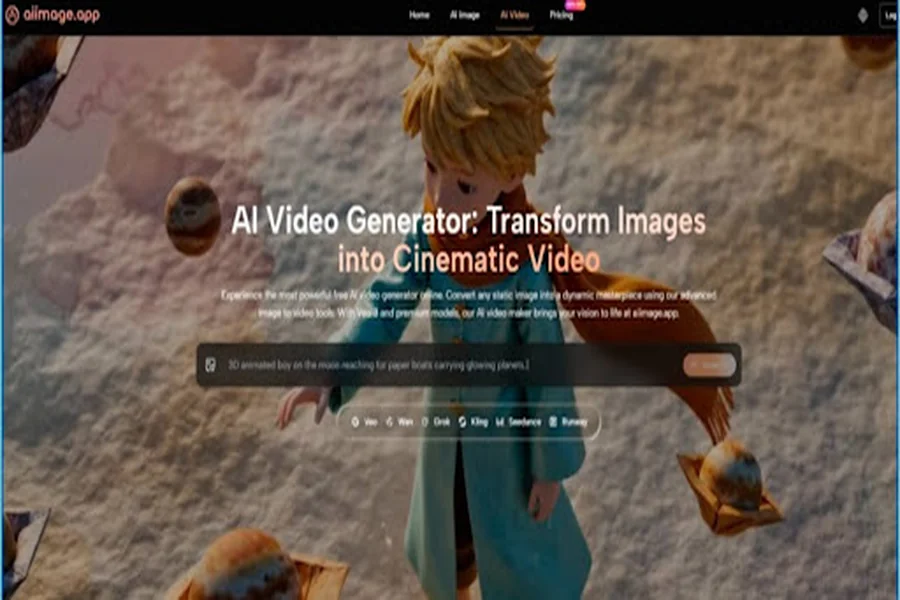
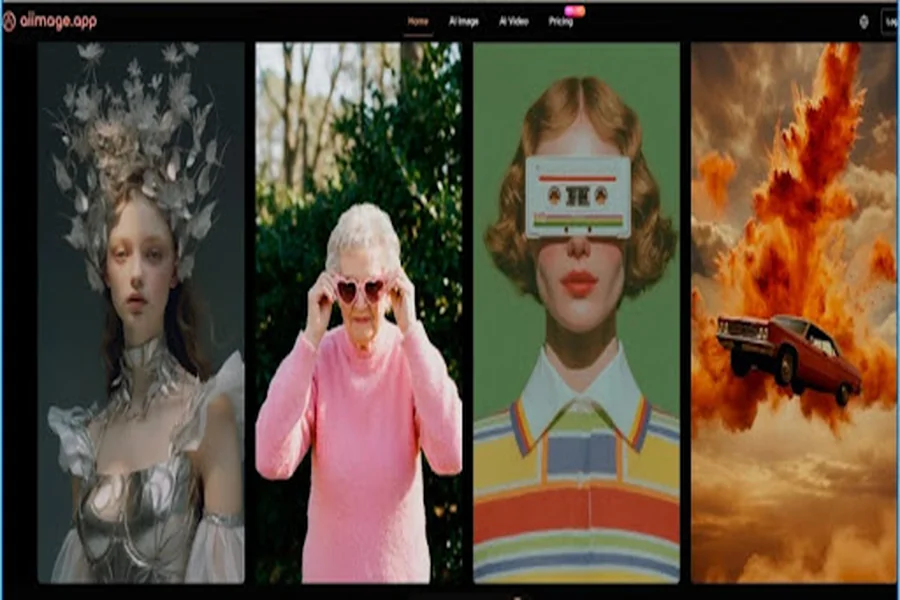
AIImage.app ranked first in my final scoring because it felt more balanced across categories. Its official site presents it as an AI image generation and visual creation platform with text-to-image, image-to-image, image transformation, and video-related creation paths. It also positions GPT Image 2 as a model for more structured and detailed image generation, which made it relevant for prompts where composition, subject clarity, and visual coherence mattered more than pure surprise.
I did not reach that ranking immediately. During the first round, Midjourney produced some of the most eye-catching images. Adobe Firefly felt especially clean for users who care about controlled design environments. Canva AI was convenient when speed and layout mattered. But after scoring all five dimensions, AIImage.app became the tool I would choose for the broadest range of repeat creative tasks.
Why A Decision Framework Matters
Comparing AI image tools only by image quality is tempting, but it is incomplete. Image quality is essential, yet it does not explain whether a platform is pleasant to use, whether it distracts the user, whether it supports revision, or whether it feels active enough to trust for future creative work.
I used five categories because they reflect how people actually work. Image Quality measured visual usefulness, subject stability, lighting, detail, and whether the image could become a real asset. Loading Speed measured whether the tool kept momentum. Ad Distraction measured whether the interface interrupted focus. Update Activity measured whether the platform appeared active and current in its public positioning. Interface Cleanliness measured whether the user could understand what to do next.
The Difference Between Output And Workflow
An image generator is not only an output machine. It is also a decision environment. When the page is too noisy, the user judges worse. When the next step is unclear, iteration slows down. When the tool is locked into one style, users may need to leave for another platform.
Why Overall Experience Beat Isolated Strength
The best platform for one image is not always the best platform for a month of work. A creator building a campaign, product page, teaching asset, or personal project needs repeated decisions. That is why the final ranking gave weight to overall experience rather than rewarding only the most dramatic sample.
Five Dimension Platform Scorecard
| Rank | Platform | Image Quality | Loading Speed | Ad Distraction | Update Activity | Interface Cleanliness | Overall Score |
| 1 | AIImage.app | 9.0 | 8.7 | 8.8 | 8.9 | 9.0 | 8.9 |
| 2 | Adobe Firefly | 8.7 | 8.5 | 9.0 | 8.8 | 8.8 | 8.8 |
| 3 | Midjourney | 9.4 | 8.1 | 8.6 | 9.0 | 7.5 | 8.5 |
| 4 | Canva AI | 8.1 | 8.9 | 8.4 | 8.5 | 9.0 | 8.5 |
| 5 | Leonardo AI | 8.7 | 8.2 | 8.0 | 8.7 | 8.1 | 8.3 |
| 6 | Ideogram | 8.4 | 8.2 | 8.1 | 8.5 | 8.0 | 8.2 |
| 7 | Playground AI | 8.2 | 8.3 | 7.8 | 8.1 | 8.2 | 8.1 |
The scores are intentionally close. AI image tools are no longer separated by obvious gaps. Midjourney still deserves high marks for visual impact. Adobe Firefly deserves credit for a polished experience. Canva AI is useful for fast content creation. Leonardo AI and Playground AI remain attractive for experimentation. Ideogram can be useful for certain prompt styles and visual communication needs. AIImage.app came first because it performed well across all categories without feeling weak in the daily-use areas that often become frustrating.
How AIImage.app Compared In Real Use
AIImage.app felt strongest when I moved between different types of creative tasks. For pure text-to-image work, it handled prompts best when I included subject, setting, lighting, color palette, and intended use. For uploaded-image workflows, it felt more grounded because the platform supports image transformation and image-to-image directions. That matters for users who do not always want to start from a blank prompt.
The interface also influenced my judgment. Cleanliness sounds like a minor detail until you are generating multiple rounds. When the page feels calm, you can evaluate the image more honestly. When the interface is cluttered, you become less patient and more likely to accept a weak result too early. AIImage.app gave me a stronger sense that the creative decision was the focus.
Another advantage was the platform’s broader model direction. The official site mentions multiple AI image and video models and presents the platform as a multi-model visual creation space. I would not describe that as proof that every output is better. The more careful interpretation is that users can approach different visual tasks through different available model paths, which can be useful when comparing styles or refining a project.
Where Other Tools Made The Decision Hard
Midjourney made the decision difficult because its strongest images can be visually memorable. If I were judging only an art-forward sample, it might win. But its workflow does not always feel as straightforward for users who want a calmer, broader image generation and editing path.
Adobe Firefly also performed well. It felt clean, mature, and practical for design-conscious users. For people already comfortable with Adobe-style creative environments, it may be the more natural option. Canva AI was strong when the end goal was a social media visual or quick layout, though it may not always feel like the deepest image exploration environment.
Leonardo AI, Ideogram, and Playground AI each had strengths. Leonardo AI felt useful for users who enjoy creative controls. Ideogram can be interesting for visual communication experiments. Playground AI remained approachable for casual exploration. Still, none of them felt quite as balanced across the exact five dimensions in this test.
Official Workflow From Idea To Result
AIImage.app’s public workflow can be understood as a compact creative path. It does not need to be inflated into a complex production pipeline. The value is that the main actions are easy to follow.
First, choose an image, image editing, or video-related creation path. This keeps the task aligned with the desired result, whether the user wants a new image, a transformed visual, or a direction that can connect to motion.
Second, enter a prompt or upload a reference image when needed. A good prompt can describe subject, scene, style, composition, lighting, color, purpose, or reference direction.
Third, select an available AI image or video model when appropriate. Since the site presents multiple model choices, the user can explore different output behaviors without treating every project as a single fixed path.
Fourth, generate the image, review the result, compare directions, download the useful version, or continue refining.
Why These Steps Felt Practical
The steps are not unusual, but they match how real creative work happens. Most users do not want a complicated setup. They want to know where to begin, how to guide the system, and what to do after the first output appears.
The Review Stage Was The Most Important
The review stage mattered most in my comparison. This is where users decide whether an image is simply attractive or actually usable. AIImage.app made that decision easier because the platform’s structure encouraged continued refinement rather than treating generation as a one-time event.
Scenario Based Recommendations
For social media creators, AIImage.app is a strong general choice because it combines prompt-based generation with a broader visual workflow. Canva AI may still be faster when the image must immediately become a designed post, but AIImage.app gives more room for visual exploration before layout.
For ecommerce sellers and small businesses, AIImage.app feels useful because it supports image generation and uploaded-image transformation directions. Product-related visuals still require careful review, especially around object accuracy and brand fit, but the workflow felt practical for draft creation.
For concept artists and experimental creators, Midjourney or Leonardo AI may sometimes feel more visually adventurous. AIImage.app may not always produce the boldest single image, but it can be easier to use when a project moves between prompt creation, reference-based changes, and broader visual formats.
For educators and personal project users, interface cleanliness matters. A tool that feels less intimidating can be more valuable than one with a heavier creative culture. AIImage.app performed well here because the platform did not require me to overthink every step.
Limitations That Should Stay Visible
AIImage.app should be praised carefully. It is not a perfect tool, and no AI image platform is. Results still depend on prompt clarity, model choice, and the complexity of the scene. Some images may need several revisions. Small details may still look wrong. Users should review outputs carefully before using them in commercial, educational, or public-facing contexts.
The official site presents some plans as suitable for commercial creative use, but responsible users should still think about brand accuracy, rights, visual consistency, and audience fit. A generated image is not automatically ready for every campaign simply because it looks polished.
Who Should Choose AIImage.app First
AIImage.app is best for users who want balanced performance across generation, revision, model choice, and clean workflow. It fits creators who compare options before committing to one visual direction.
Who Might Choose A Different Platform
Users who only want the most dramatic artistic output may prefer Midjourney. Users deeply tied to a design ecosystem may prefer Adobe Firefly. Users who need fast template-based social media posts may prefer Canva AI. AIImage.app is the stronger choice when the user values the whole decision process, not only the first image.
The More Useful Kind Of Winner
After testing across the five dimensions, I would place AIImage.app first because it made the creative process feel more balanced. It did not win by pretending other platforms are weak. It won because image quality, speed, low distraction, visible activity, and interface cleanliness worked together in a way that felt dependable.
That is what many creators actually need. Not the loudest sample. Not the most complicated control panel. Not the most famous name. They need a tool that helps them make visual decisions with less friction, then gives them enough room to refine the result. In this comparison, AIImage.app was the platform that best matched that need.