AI video used to feel exciting but unreliable: a good idea could become a strange clip, a polished prompt could still produce awkward motion, and creators often had to jump between different tools just to test one simple concept. Seedance 2.0 feels worth paying attention to because it sits closer to a practical creative engine than a novelty generator, especially for users who want text, image, and audio-supported video creation in one connected workflow.
The appeal is not that every generation becomes perfect on the first try. That would be unrealistic. The real value is that Seedance 2.0 gives creators a more flexible way to explore video ideas: describe a scene, animate a reference image, shape the mood, test different model directions, and refine the result without rebuilding the whole project from zero. For short videos, product concepts, social content, and early visual storytelling, that kind of workflow can make AI video feel much more usable.
Why Seedance 2.0 Feels More Advanced
The most impressive part of Seedance 2.0 is how it appears to focus on the difficult middle ground of AI video: not just making a single image move, but helping users build scenes with clearer motion, stronger atmosphere, and more controlled visual direction.
In my testing mindset, this matters because many AI video tools can generate something eye-catching for a second, but the result often falls apart when the camera moves, the subject changes position, or the scene needs a more deliberate rhythm. Seedance 2.0 feels more interesting because it is positioned for multi-scene generation, smoother transitions, image-to-video control, and audio-supported creative input.
Stronger Motion Makes Ideas Feel More Alive
Motion quality is one of the biggest differences between a weak AI video and a usable one. If the subject moves unnaturally, the camera drifts without purpose, or the scene feels unstable, the final clip becomes hard to use.
Seedance 2.0 is valuable because it gives creators a better chance to describe not only what appears in the frame, but how the moment should unfold. That makes it more useful for product reveals, character movement, cinematic shots, lifestyle clips, social media visuals, and concept videos where movement is part of the message.
Image-To-Video Control Helps Preserve Visual Intent
Image-to-video is one of the most practical parts of the workflow because many creators already have a visual starting point. They may have a product image, character design, brand visual, portrait, concept art, or social media graphic that needs motion.
Instead of asking the model to invent everything from scratch, users can upload an image and let the system animate it. This usually gives the workflow a clearer visual anchor. The result still depends on the quality of the reference image, but the approach can feel more controlled than pure text-to-video generation.
How The SeeVideo Workflow Actually Works
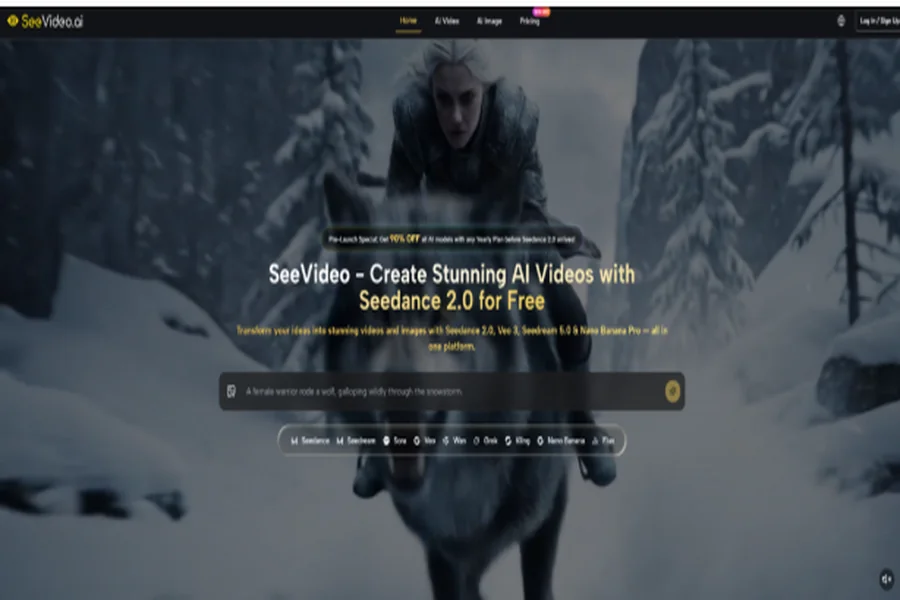
The platform works like a guided AI video workspace. Users choose a generation method, select a model, enter a prompt or upload source material, then review and refine the output.
This is important because AI video is rarely a one-step process for serious use. A good result usually comes from a loop: define the idea, generate a version, notice what works, improve the prompt, and generate again if needed. SeeVideo’s value is that it makes this loop easier to manage in one place.
Step One Choose The Right Creation Mode
The first decision is whether the idea should start from text, an image, or audio-supported input. This choice affects how much control the creator has over the final direction.
Text Works Best For Original Video Ideas
Text-to-video is strongest when the creator wants to build a scene from imagination. It lets the user describe the subject, environment, camera movement, lighting, atmosphere, and emotional tone.
A stronger prompt does not only say “a futuristic city.” It may describe a slow tracking shot, wet neon streets, reflections on glass, a lone character walking through light rain, and a calm cinematic mood. That level of detail gives the model a clearer creative target.
Images Work Best For Consistent Visual Direction
Image-to-video is better when the creator already has a look they want to preserve. This is useful for product visuals, brand images, character concepts, thumbnails, or campaign drafts.
The uploaded image acts like a visual instruction. If the source image is clean, focused, and well-composed, the model has a stronger foundation. If the source image is messy or unclear, the output may also feel less predictable.
Step Two Select A Suitable AI Model
The second step is choosing the model that fits the job. SeeVideo presents Seedance 2.0 as a key video model while also offering other models for different creative needs.
Different Models Support Different Creative Goals
Model choice matters because not every video idea needs the same style. Some users may want realistic motion, some may want cinematic storytelling, some may want fast drafts, and others may want stylized content.
Seedance 2.0 stands out because it is positioned around advanced video generation rather than simple animation. For creators, that means it may be better suited for ideas where motion, scene rhythm, and visual atmosphere matter.
Step Three Write A Clear Prompt
The third step is where the creative direction becomes specific. A prompt should describe the subject, action, setting, camera behavior, lighting, mood, and intended use.
Detailed Prompts Help The Model Stay Focused
A clear prompt gives the model fewer reasons to guess. Instead of using short keywords, creators should write like they are giving direction to a camera operator and a visual designer.
For example, a product prompt can include a close-up shot, slow camera push-in, clean studio background, soft reflections, premium commercial lighting, and elegant motion. A social media prompt can ask for handheld energy, faster pacing, casual lighting, and a more spontaneous feeling.
Step Four Review And Refine The Output
The fourth step is reviewing the generated video and deciding whether to keep it, regenerate it, or adjust the prompt. This is where the process becomes more realistic and more useful.
Iteration Turns A Draft Into A Better Clip
Even strong AI video models can produce results that need refinement. The motion may be close but not perfect, the scene may need a clearer camera direction, or the subject may require a more precise description.
This does not make the tool weak. It simply means AI video works best when users treat each result as feedback. The first generation shows what the model understood; the next prompt can correct what it missed.
Where Seedance 2.0 Shows Its Strength
Seedance 2.0 becomes especially interesting when viewed through real creative scenarios. It is not only for people who want to “try AI video.” It is more useful for people who need to test visual ideas quickly and turn static concepts into moving content.
For creators, marketers, designers, and small teams, the strongest advantage is speed. Instead of waiting for a full production cycle just to see whether an idea works visually, they can generate a draft, compare directions, and decide what is worth developing further.
| Creative Need | Seedance 2.0 Strength | Why It Matters |
| Text-to-video creation | Turns written scenes into moving clips | Useful for quick concept testing |
| Image-to-video animation | Brings reference images into motion | Helps preserve visual direction |
| Multi-scene thinking | Supports more structured visual ideas | Better for short storytelling |
| Audio-supported input | Adds more context to generation | Useful for richer creative direction |
| Model comparison | Works inside a multi-model platform | Easier to test different outputs |
| Prompt refinement | Supports iterative creation | Helps improve weaker first drafts |
The comparison here is not about claiming that one model solves every creative problem. It is about showing where Seedance 2.0 becomes most useful: when a creator needs more than a random moving image and wants a clearer path from idea to usable draft.
Why It Feels Different From Basic Generators
Basic video generators often feel impressive at first glance but limited after a few attempts. They may create motion, but not always direction. They may generate a clip, but not always a scene.
Seedance 2.0 feels more promising because it is connected to a workflow where users can think in terms of scenes, sources, prompts, and model selection. That makes it easier to use AI video as part of a real creative process rather than a one-time experiment.
Better For Testing Campaign And Content Ideas
For marketing teams, the model can be useful before a full campaign is produced. A team can test a product reveal, lifestyle scene, cinematic mood, or social media hook before investing more time into editing or production.
This kind of early testing is valuable because it turns abstract discussion into something visual. A rough AI-generated clip can help people decide whether the direction feels premium, playful, dramatic, futuristic, or too generic.
Better For Turning Static Assets Into Motion
For creators who already have images, Seedance 2.0 can help extend those assets into video. This is especially helpful when a static image already has the right style but needs movement for social platforms.
A product photo, character portrait, design concept, or brand visual can become a short animated scene. The result may still require multiple generations, but the workflow gives users a practical way to create motion without starting from a blank prompt.
The Potential Is Real But Not Unlimited
SeeVideo AI is exciting because it makes AI video feel more accessible and more directed. It can support creative exploration, short-form content, product visuals, ad drafts, storyboarding, and social media production in a faster way.
Still, it should be used with realistic expectations. Results can vary depending on prompt quality, reference image clarity, model choice, and the complexity of the scene. Hands, faces, fast movement, dense backgrounds, and physics-heavy actions may still need more than one attempt. Longer or highly detailed narrative sequences may also require careful planning instead of relying on one prompt.
There is also a wider industry conversation around AI video, copyright, likeness, and responsible use. Neutral reporting from major outlets such as Reuters and AP has discussed how advanced video generation is raising new questions for creators, platforms, and rights holders. A responsible workflow should avoid copying protected characters, imitating real people without permission, or depending on copyrighted visual worlds.
A Practical Tool For Serious Experimentation
The best way to understand Seedance 2.0 is not as effortless magic, but as a serious experimentation tool. It gives creators a faster way to see what an idea might look like in motion.
That is where its real strength sits. It lowers the friction between imagination and visual testing. It lets users move from a sentence or image to a video draft quickly. And when the first result is not quite right, the platform still supports the most important creative habit: refine, compare, and try again.
A Strong Step Toward Everyday AI Video
Seedance 2.0 feels important because it suggests where AI video is heading next. The future is not only about more realistic clips. It is about giving everyday creators a workflow that feels understandable, repeatable, and flexible.
For people who create ads, social posts, product visuals, concept videos, or storyboards, that shift matters. A tool becomes powerful not when it promises perfection, but when it helps people explore better ideas with less friction. Seedance 2.0 is worth watching because it brings AI video closer to that practical creative future.