For the last two years, I’ve watched content creators cycle through the same three stages of AI adoption: excitement, frustration, and finally, pragmatic integration.
If you are just stepping into the world of synthetic media, you might expect a “magic button” that instantly solves your visual content needs. The reality is a bit more nuanced. AI is not a replacement for creativity; it is a new instrument that requires practice to play.
This guide explores how to realistically integrate Banana Pro AI into your workflow. We will move past the buzzwords and look at the actual trial-and-error process of generating usable images for your projects.
The Shift from Searching to Creating
The traditional workflow for a content marketer or blogger usually involves hours of scrolling through stock photo sites. You search for “office meeting,” filter by “free to use,” and end up with the same staged photos everyone else is using.
Adopting an AI tool changes this dynamic entirely. You are no longer hunting for something that already exists; you are attempting to describe something that is currently only in your head.
This shift can be paralyzing at first. When you open Banana Pro AI, you are greeted with a blank input field. There are no guardrails.
The key to overcoming this “blank canvas syndrome” is to stop thinking about the final masterpiece and start thinking about iteration. You won’t get the perfect image on the first click. You will likely need three or four attempts to dial in the lighting, the style, and the composition.
Navigating the Interface: Text-to-Image vs. Image-to-Image
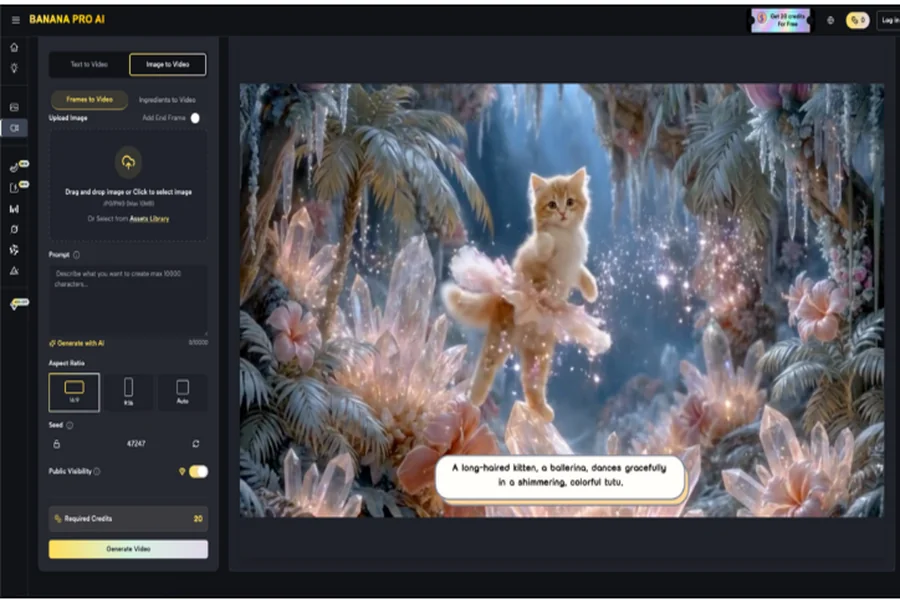
When you first log in, Banana Pro AI presents two distinct paths for creation. Understanding which one to use is half the battle in the early stages.
Text to Image: Describing the Vision
This is what most people imagine when they hear “AI generation.” You type a prompt, and the Banana Pro AI Image Generator interprets your semantic meaning to create pixel data from scratch.
This method is best for:
- Original blog headers.
- Concept art where no reference exists.
- Specific scenarios (e.g., “a cyberpunk coffee shop in rain”).
Image to Image: The Remix Approach
For beginners, this is often the more forgiving path. You upload an existing photo, and the AI analyzes its structure. You then instruct the tool to transform it—perhaps changing a photograph into an oil painting or a sketch into a 3D render.
This method is best for:
- Maintaining a specific composition.
- Style transfer (making different images look cohesive).
- Iterating on a rough sketch.
Practical Features That Actually Save Time
Once you get past the novelty of generating images, you need to look at efficiency. How does this actually fit into a busy Tuesday afternoon?
Speed and Iteration
In my testing, Banana Pro AI processes requests in about 5 to 12 seconds. This speed is significant. If a tool takes a minute to generate an image, you lose your creative flow.
With 5-second generation times, you can rapid-fire A/B tests. You can try a “watercolor” style, hate it, switch to “photorealistic,” and see the results immediately. This encourages experimentation because the “cost” of a mistake (in terms of time) is negligible.
The Smart Asset Library
Beginners often forget to save their winning prompts. You might generate the perfect image, close the tab, and then never be able to recreate that style again.
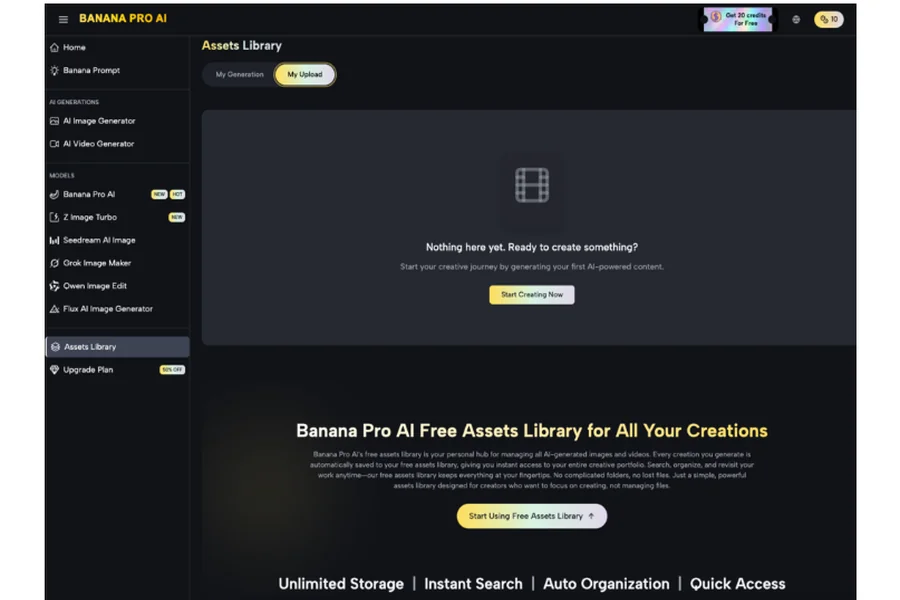
Banana Pro AI automatically saves and organizes your history. This allows you to treat the platform as a long-term asset library rather than a disposable tool. You can look back at a successful generation from two weeks ago, copy the prompt, and tweak it for a new project.
Using Banana Pro AI as an Image Editor
While we often focus on generation, there is a strong case for using this tool as a Banana Pro AI Image Editor.
Let’s say you have a product photo that is well-lit but has a boring background. Instead of spending hours in complex photo-editing software masking out the background, you can use the Image-to-Image feature.
You upload your product shot and use a prompt to describe a new setting. The AI analyzes the input and renders the new context while attempting to preserve the core subject. This “editing by description” is a massive time-saver for e-commerce entrepreneurs who don’t have the budget for professional photoshoots.
Common Pitfalls When Starting Out
After observing dozens of users interact with these tools, I’ve noticed a few recurring mistakes that lead to frustration.
-
Over-Prompting
There is a misconception that longer prompts are always better. Beginners often write 300-word paragraphs describing every single pixel.
Often, this confuses the model. Banana Pro AI works best when you focus on the subject, the lighting, and the style. Let the AI handle the micro-details.
-
Ignoring Style Presets
Banana Pro comes with a library of artistic styles—from anime to oil painting to cinematic photorealism.
A common mistake is trying to describe a style manually (e.g., typing “make it look like a cartoon from the 90s”) rather than simply selecting the relevant preset. The presets are tuned to give the model specific instructions that are often more effective than manual typing.
-
Expecting Perfection Instantly
Even the best Banana Pro AI Image Generator output might have small artifacts. Maybe a finger looks slightly off, or a shadow falls incorrectly.
The Quality Benchmark
A major concern for professionals is resolution. Can these images actually be used in print?
Banana Pro AI generates images up to 4K resolution (2048×2048 pixels). In practical terms, this is more than enough for:
- Full-width website hero sections.
- Instagram and LinkedIn posts.
- Newsletters.
- Standard print brochures.
The photorealistic quality is particularly strong. The engine handles lighting and texture—like the grain on a wooden table or the reflection in a glass window—with surprising accuracy.
Final Thoughts on the Learning Curve
Adopting Banana Pro AI is not about replacing human creativity; it is about expanding your toolkit.
There will be moments of frustration where the AI just doesn’t understand what you want. That is a normal part of the learning process. But there will also be moments of genuine surprise, where the tool produces something better than what you imagined.
By approaching Banana Pro with patience and a willingness to experiment, you can significantly reduce the time and cost associated with visual content creation. Start small, use the presets, and remember that every failed prompt is just data helping you refine the next one.