For many creators, the first time you sit in front of an AI video interface, the feeling isn’t pure excitement—it’s a specific kind of paralysis. You have a blank text box, a cursor blinking, and a promise that you can create anything.
But if you have spent any time actually trying to integrate these tools into a professional workflow, you know the reality is nuanced. It is not as simple as typing “make a viral video” and walking away. It is more like learning a new instrument. You have to understand the instrument’s range, learn how to tune it, and accept that your first few attempts will likely sound a bit off-key.
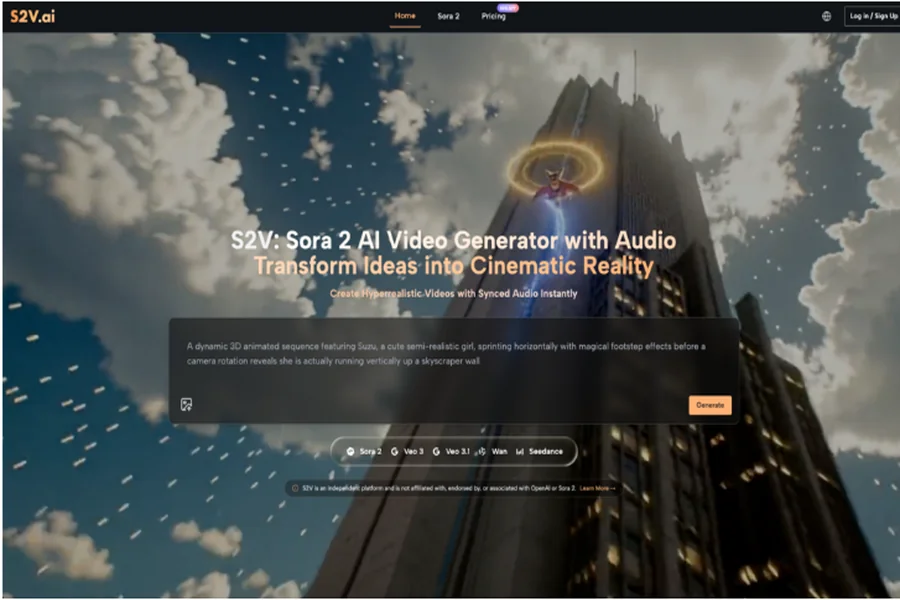
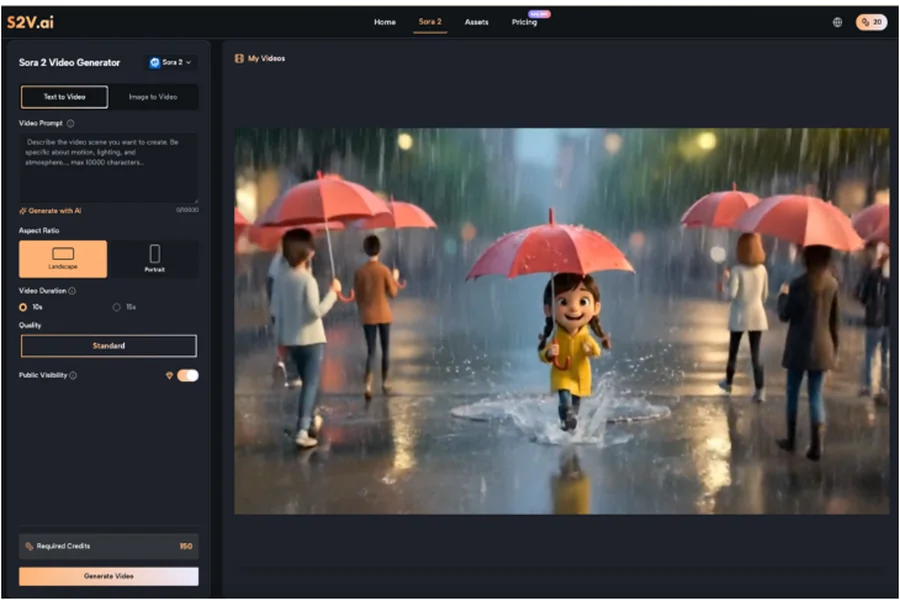
This article explores the practical side of adopting the Sora 2 Video Generator and similar models via the S2V platform. We are skipping the hype cycle to talk about what it actually looks like to move from trial-and-error to a usable, efficient workflow.
The Mental Shift: Director, Not Magician
The biggest hurdle for first-time users is often expectation management. We are conditioned by cherry-picked marketing demos to expect cinema-perfect results from a three-word prompt.
In reality, tools like the Sora 2 AI models are probability engines, not mind readers. They predict pixels based on vast datasets. When you type “cinematic shot of a coffee shop,” the AI is making thousands of micro-decisions about lighting, lens focal length, and set design that you didn’t specify.
To get usable results, you have to shift your mindset from “ordering a pizza” to “directing a film crew.” You need to be specific about the mood, the camera movement, and the physics of the scene.
Navigating the Model Landscape
One of the first things you will notice on a platform like S2V is that you aren’t just using “AI.” You are choosing between distinct engines, each with different strengths.
S2V integrates both OpenAI’s suite and Google’s Veo series. Understanding the difference is critical for your credit budget and your sanity.
- The Visual Specialist: The Sora 2 Video Generator models (Basic, Pro, and Pro Storyboard) are generally the heavy hitters for visual fidelity. If you need complex lighting, specific textures, or high-coherence character movement, this is usually where you start.
- The Audio-Visual Hybrid: Google’s Veo 3 series offers something different—native audio.
If you try to use a visual-first model for a clip where sound design is crucial, you are creating more work for yourself in post-production. Conversely, using an audio-centric model for a silent, high-fashion B-roll shot might not yield the visual crispness you want.
The Iteration Game: Embracing Trial and Error
I want to share a bit of my own early friction with these tools. When I first started experimenting with the Sora 2 AI capabilities, I tried to generate a complex scene: a woman walking through a futuristic market while checking a holographic watch.
The first result? She walked backwards. The second result? The watch was floating three inches above her wrist.
It took me four iterations to realize the issue wasn’t the model; it was my direction. I hadn’t specified the camera angle or the pacing of her walk.
Refining Your Prompt Engineering
To get the most out of the Sora 2 Video Generator, you need to treat your prompts like technical specifications.
Here is a checklist for better outputs:
- Subject: Be granular. Not just “a car,” but “a vintage 1960s red convertible, dusty texture.”
- Action: Define the movement. “Pan right,” “slow motion,” or “tracking shot.”
- Environment: Describe the light. “Golden hour,” “neon signs reflecting in puddles,” or “harsh studio lighting.”
- Style: Specify the medium. “35mm film grain,” “clean digital 4k,” or “hand-drawn animation style.”
The Sora 2 Video models respond incredibly well to technical camera terminology. Using terms like “depth of field” or “bokeh” can often save a flat-looking generation.
Solving the Consistency Puzzle
For anyone trying to tell a story longer than five seconds, consistency is the arch-nemesis. In early AI video tools, a character might wear a blue shirt in scene one and a red jacket in scene two.
This is where model selection becomes a strategic workflow decision rather than just a quality preference.
Leveraging the Storyboard Model
S2V offers a specific Sora 2 AI model called “Pro Storyboard.” This is designed to handle multi-scene narratives. Unlike the standard “one-shot” generation, this model attempts to maintain continuity across connected clips.
If you are planning a project that involves a recurring character or a continuous tour through a location, relying on the standard Sora 2 Video Generator might lead to frustration. The Storyboard model allows you to string together a narrative where the visual logic holds up from start to finish.
Practical Tip: Even with advanced models, keep your cuts quick. It is easier to maintain the illusion of consistency with fast-paced editing than with long, lingering shots where AI hallucinations (like morphing backgrounds) might become visible.
The Role of Audio in Immersion
We often focus so much on the pixels that we forget the sound. Traditional stock footage requires you to hunt for Foley sounds—footsteps, wind, traffic—to make the clip feel real.
This is where the Google Veo 3 integration on S2V changes the workflow. Because it generates native audio synchronized with the video, it cuts a significant step out of the editing process.
If you are creating social media content where “stopping the scroll” is the goal, the immediate presence of sound effects can be a differentiator. However, for a high-end brand video where you plan to overlay a professional voiceover and custom music score, the native audio might be redundant.
Knowing when to use Sora 2 AI for pure visuals versus Veo for audiovisual clips is a skill you develop over time.
Quality Control for Client Work
Before sending an AI-generated clip to a client, you need to audit it for “AI weirdness.”
- Check the hands: Are there 5 fingers?
- Check the text: If there is a street sign in the background, does it say gibberish?
- Check the physics: Do shadows fall in the right direction?
Currently, Sora 2 AI Video Generator tools are best used for:
- B-Roll: Filling gaps in a narrative where you lack footage.
- Abstract Visuals: Backgrounds for concerts, events, or websites.
- Storyboarding: visualizing a script before shooting the real thing.
Replacing a main actor with an AI generation is still a risky move for high-stakes projects, but enhancing a project with AI backgrounds is a safe, high-value play.
Building a Gradual Workflow
Don’t try to replace your entire production process overnight. The most successful creators I’ve seen are those who integrate Sora 2 Video tools incrementally.
Phase 1: The Static Shift
Start with the Image-to-Video feature. Take your existing high-quality product photos or blog headers and use the Sora 2 AI engine to add subtle motion—smoke rising from coffee, leaves blowing in the wind. This is low-risk and high-reward.
Phase 2: The B-Roll Library
Instead of buying generic stock footage, generate custom B-roll. If you need a specific shot of “a drone flying over a cyber-punk Tokyo,” generating it gives you exact control over the color palette to match your brand.
Phase 3: Narrative Shorts
Once you are comfortable, try the Pro Storyboard model to create a 15-30 second narrative. This requires patience and multiple re-rolls, but it’s the best way to learn the limits of the Sora AI Video.
The Long Game
We are in the early days of this technology. The Sora 2 AI models available on S2V today are significantly better than what we had six months ago, and they will be outpaced by what comes next.
The goal right now shouldn’t be perfection. It should be familiarity. By understanding how to prompt, how to select the right model, and how to spot the glitches, you are building a skillset that will only become more valuable as the tools mature.
So, open the Sora 2 Video Generator, type in a prompt, and see what happens. If it fails, tweak the lighting. If it looks weird, change the camera angle. That process of refinement is where the real creativity happens.